
myeasypage Blog
Digital Visiting Card Kaise Banaye — Free Online Business Card Guide 2026
Paper visiting card chhodo, apna digital business card banao — free mein, bina coding ke. Complete Hindi guide with step-by-step instructions, design tips, aur best tools jo Indian professionals ke liye perfect hain.
Sochiye — aap ek networking event mein hain. Saamne wale insaan ne apna paper visiting card diya. Aapne jeb mein rakha. Ghar jaake woh card table par pada raha, phir ek din dustbin mein chala gaya.
Ab doosri taraf sochiye — kisi ne apna phone nikala, QR code dikhaya, aapne scan kiya. 3 second mein unka poora profile aapke phone mein save ho gaya — naam, photo, kaam, phone number, WhatsApp link, Instagram, portfolio, sab kuch. Agle din jab kaam pada, aapne seedha unhe call kar diya.
Yeh hai digital visiting card ka power. 2026 mein paper card dena waise hi hai jaise email ki jagah letter bhejein. Kaam toh chalega — lekin sabse effective nahi hai.
Is guide mein aap sikhenge:
- Digital visiting card kya hota hai aur yeh paper card se better kyun hai
- Isme kya-kya hona chahiye
- Step-by-step free mein kaise banayein
- QR code kaise generate karein
- WhatsApp, Instagram aur LinkedIn par kaise share karein
Digital Visiting Card Kya Hota Hai?
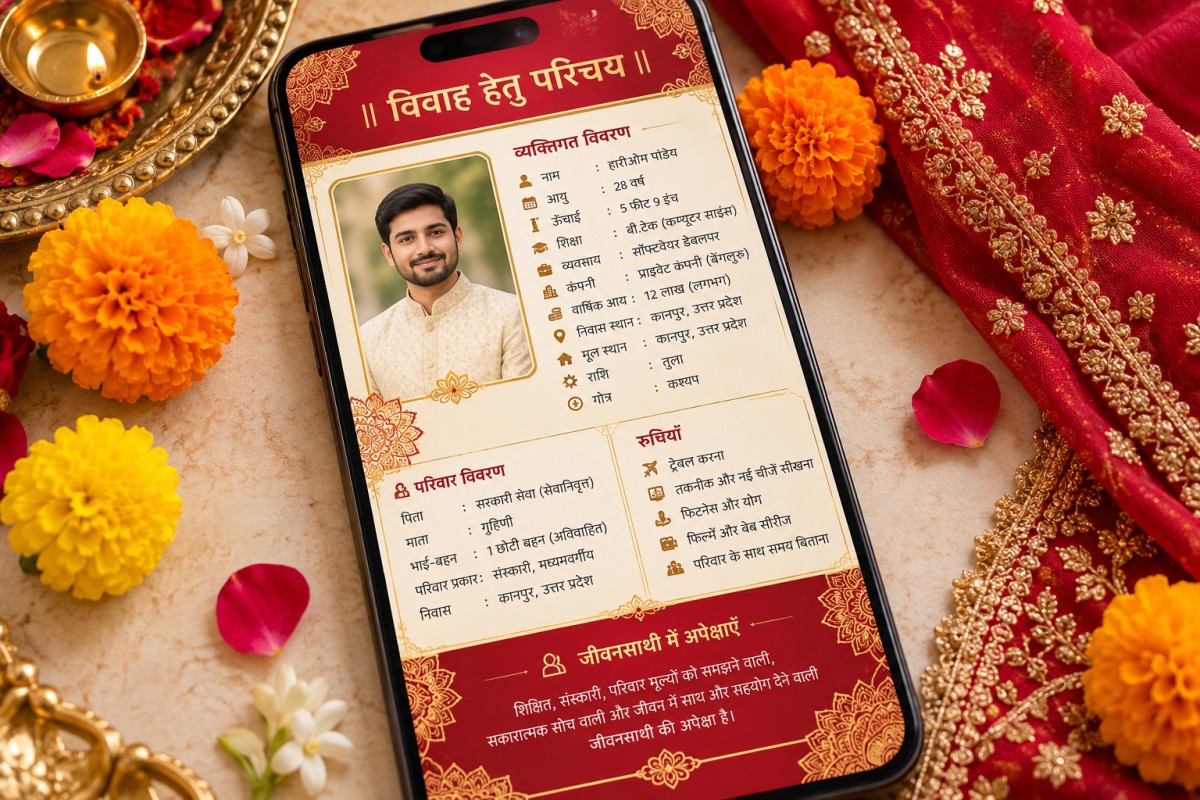
Digital visiting card ek online page hota hai jo aapki professional identity ko ek link mein present karta hai. Isme woh sab kuch hota hai jo ek paper card mein hota hai — aur bahut kuch extra bhi.
Paper card mein kya hota hai:
- Naam
- Phone number
- Company ka naam
- Designation
Digital visiting card mein kya-kya ho sakta hai:
- Professional photo — face recognition se yaad rehta hai
- Clickable phone number — ek tap mein call
- WhatsApp direct link — seedha chat open ho
- Email link — ek click mein compose
- Social media profiles — Instagram, LinkedIn, YouTube, Twitter sab ek jagah
- Portfolio ya work samples — apna kaam dikha sakte hain
- Google Maps location — shop ya office ka address with directions
- Services list — kya kaam karte hain, clearly
- Testimonials — clients ke reviews
- Appointment booking — seedha meeting schedule kar sakte hain
- QR code — scan karke turant access
Matlab ek paper card mein sirf information milti hai. Digital card mein information ke saath action milta hai — call karo, message karo, portfolio dekho, booking karo — sab ek hi jagah se.
Paper Visiting Card vs Digital Visiting Card — Honest Comparison
Bahut log sochte hain ki digital card paper card ki jagah hai. Actually yeh uski upgrade hai.
| Feature | Paper Visiting Card | Digital Visiting Card |
|---|---|---|
| Cost | ₹500-2000 har 500 cards | Free ya ₹50-60/month |
| Update karna | Naye cards print karwao | 1 minute mein online edit |
| Share karna | Physically dena padta hai | Link, QR code, WhatsApp se |
| Information limit | 5-6 lines fit hoti hain | Unlimited — bio, links, portfolio sab |
| Eco-friendly | Paper waste hota hai | Zero waste |
| Phone mein save | Manually type karna padta hai | Ek click mein save |
| 24/7 accessible | Jeb mein hona chahiye | Phone mein hamesha ready |
| Tracking | Pata nahi kisne dekha | Analytics milta hai — kitne log dekh rahe hain |
Reality check: India mein abhi bhi kuch traditional business circles mein paper card expected hai — especially government offices, senior bureaucrats, aur kuch purane business networks mein. Wahan paper card rakhna theek hai.
Lekin 90% professional interactions — networking events, client meetings, social media DMs, WhatsApp introductions — mein digital card zyada effective hai.
Smart approach: Dono rakhein. Paper card mein apne digital card ka QR code print karwa lein. Best of both worlds.
Digital Visiting Card Mein Kya-Kya Hona Chahiye?
Ek effective digital card woh hai jo 10 second mein bataa de — aap kaun hain, kya karte hain, aur aapse kaise contact karein.
1. Professional Photo
- Recent honi chahiye — 6 mahine se purani nahi
- Clear face, simple background
- Formal ya semi-formal — industry ke hisaab se
- Smile rakho — approachable lagein
2. Naam aur Headline
Sirf naam kaafi nahi hai. Headline mein batao kya karte hain.
Kya likhein:
- Rajesh Sharma — Chartered Accountant | Tax & GST Consultant
- Priya Patel — Wedding Photographer | Mumbai
- Dr. Amit Kumar — Orthopedic Surgeon | AIIMS Delhi
Kya na likhein:
- Rajesh Sharma — Entrepreneur | Visionary | Coffee Lover
- Priya — Follow Your Dreams
Headline mein clarity honi chahiye, creativity nahi.
3. Contact Information (Clickable)
- Phone number — tap kare toh call lage
- WhatsApp number — tap kare toh WhatsApp chat khule
- Email — tap kare toh compose window khule
Yeh teeno clickable hone chahiye. Sirf number dikhana kaafi nahi — action enable karna zaroori hai.
4. Social Media Links
Sirf woh platforms jahan aap active hain:
- LinkedIn — professionals ke liye must hai
- Instagram — creative fields, photographers, designers, coaches
- YouTube — agar channel hai
- Twitter/X — tech, media, writing
Har platform mat jodo. 2-3 relevant platforms kaafi hain.
5. Location
Google Maps link ke saath — especially agar aapka physical office, clinic, ya shop hai. Client ko directions dhundhne ki zaroorat nahi padni chahiye.
6. Services ya Expertise
Short bullet points mein batao kya karte hain:
- GST Filing & Returns
- Tax Planning for Salaried Professionals
- Business Registration & Compliance
3-5 clear services — lambi list nahi.
7. About / Short Bio
50-100 words mein batao — experience, expertise, aur kya value dete hain. First person mein likho, professional tone mein.
Example: Main pichhle 8 saal se small businesses ko GST compliance aur tax planning mein help karta hoon. 500+ businesses ke saath kaam kiya hai across Mumbai aur Pune. Mera focus hai — aapka tax kam karna, legally.
8. Call-to-Action (CTA)
Ek clear action jo visitor le sake:
- Book a Free Consultation
- WhatsApp Par Message Karein
- Get a Quote
- Appointment Book Karein
Bina CTA ke card sirf information deta hai. CTA se woh business deta hai.
Kisko Digital Visiting Card Banani Chahiye?
Short answer: har woh insaan jisko professionally logon se milna padta hai.
Freelancers
Graphic designers, content writers, video editors, web developers — aap clients se regularly milte hain. Ek digital card aapki portfolio, rates, aur contact ek jagah rakhta hai. Client ko 5 alag links bhejne ki zaroorat nahi.
Small Business Owners
Dukaan, restaurant, salon, boutique, clinic — Google Maps location, timing, services, aur reviews sab ek card mein. Customer ko phone karne ki zaroorat nahi ki Kitne baje band hota hai? — sab card mein milega.
Doctors aur Healthcare Professionals
OPD timing, clinic address, specializations, appointment booking — patients ke liye convenient. Receptionist ka phone busy hai? Card mein online booking available hai.
Chartered Accountants aur Lawyers
Professional services mein trust important hai. Digital card mein qualifications, experience, testimonials — sab ek jagah. Client ko Yeh CA kaisa hai? ka answer card mein mil jaata hai.
Real Estate Agents
Property dealers ke liye digital card game changer hai. Listings ka link, recent sales, WhatsApp direct chat — buyer ke phone mein ek QR scan mein sab kuch.
Teachers aur Coaches
Tuition teachers, fitness coaches, life coaches, music teachers — classes ki details, timings, fees, aur testimonials ek card mein. Parents ko phone karke puchne ki zaroorat nahi.
Corporate Professionals
Employees bhi personal brand ke liye digital card use kar sakte hain. LinkedIn profile, professional bio, aur key skills — networking events mein paper card ke saath QR code share karein.
Step-by-Step: MyEasyPage Se Free Digital Visiting Card Kaise Banayein
MyEasyPage ek free tool hai jisse aap 10 minute mein professional digital visiting card bana sakte hain — bina kisi coding ya design skill ke.
Step 1: Free Account Banayein
myeasypage.com par jaayein aur sign up karein. Google se bhi login kar sakte hain — 30 second ka kaam.
Aapko ek unique link milega: yourname.myeasypage.com
Yeh link hi aapka digital visiting card hai.
Step 2: Profile Setup Karein
Dashboard mein jaake yeh details bharein:
- Naam — professional naam, nick name nahi
- Headline — kya karte hain + location (e.g., CA | GST Expert | Mumbai)
- Bio — 2-3 lines mein apna introduction
- Profile Photo — professional, clear, recent
Step 3: Contact Links Add Karein
Social Links section mein jaayein aur add karein:
- Phone number (with country code +91)
- WhatsApp number
- Email address
- LinkedIn profile URL
- Instagram handle
- YouTube channel (agar hai)
- Google Maps link (office/shop ka)
Har link clickable hoga — visitor ek tap mein action le sakta hai.
Step 4: Services Add Karein
Agar aap services dete hain toh Services section use karein:
- Service ka naam
- Short description
- Price range (optional)
Example:
- GST Return Filing — Monthly GST filing for small businesses — Starting ₹1,500/month
- ITR Filing — Income tax return filing for salaried professionals — ₹999 onwards
Step 5: Testimonials Add Karein
Testimonials section mein 2-3 client reviews add karein:
- Client ka naam
- Unka feedback
- Rating
Social proof se trust badhta hai — especially un logon ke liye jo aapko pehli baar digital card ke through discover kar rahe hain.
Step 6: Appointment Booking Setup Karein (Optional)
MyEasyPage ke Pro plan mein appointment booking available hai. Isse client seedha aapke card se meeting schedule kar sakta hai — bina phone call ke.
Step 7: QR Code Generate Karein
Apne MyEasyPage link ka QR code banayein. Bahut se free tools hain:
- QR Code Generator (search karein free QR code generator)
- Aap apne phone ki settings mein bhi bana sakte hain
Is QR code ko:
- Paper visiting card par print karwayein
- Shop/office ke counter par rakhein
- Invoice ya letterhead par add karein
- WhatsApp DP ya Status mein lagayein
Step 8: Share Karein
Aapka digital visiting card ready hai! Ab share karein:
- WhatsApp bio mein link daalo
- Instagram bio mein link daalo
- LinkedIn summary mein add karo
- Email signature mein link lagao
- Har ek se contact karne par — link bhejo, card nahi
Digital Visiting Card Share Karne Ke 10 Smart Tarike
Card banane ke baad sabse important hai — use effectively share karna.
1. WhatsApp Bio Mein Link
Aapka WhatsApp bio ek mini billboard hai. Wahan apna MyEasyPage link daalo. Jab koi aapka number save karega, woh bio mein link dekhega.
2. Instagram Bio Mein Link
Instagram sirf ek link allow karta hai bio mein. Apna digital card link wahan daalo — ek link se sab kuch accessible.
3. Email Signature
Har email ke neeche automatically aapka card link jaaye. Setup ek baar — har email mein professional impression:
Rajesh Sharma
Chartered Accountant | GST Consultant
Card: yourname.myeasypage.com
4. QR Code on Paper Card
Paper card mat chhodo — uspe upgrade karo. Apne paper card ke peeche QR code print karwao. Client paper card le aur QR scan karke poori details save kare.
5. WhatsApp Status
Hafte mein ek baar apna digital card WhatsApp Status par lagao: Mera digital visiting card — save kar lo! with link.
6. LinkedIn Post
Ek LinkedIn post likho — Maine apna digital visiting card banaya hai. Ab meeting mein paper card dhundhne ki zaroorat nahi. Link share karo. Professional network mein visibility milegi.
7. Networking Events
Event mein phone nikalo, QR code dikhao. Saamne wala scan kare — done. Paper card se zyada fast aur memorable.
8. Google Maps Profile
Agar aapka Google Business Profile hai (shop, clinic, office), toh website field mein apna digital card link daalo.
9. Invoice aur Quotation
Har invoice aur quotation mein apna card link add karo. Client ko follow-up karna ho toh seedha card se contact kare.
10. Offline Marketing Material
Pamphlets, banners, shop boards — QR code har jagah kaam karta hai. Customer scan kare aur seedha aapke digital card par pahunche.
Digital Visiting Card Design Tips — Professional Kaise Banayein?
Card ka content important hai, lekin presentation bhi equally matter karti hai.
Colors
- 2-3 colors se zyada mat use karo
- Industry ke hisaab se choose karo: doctors ke liye blue/white, creative fields ke liye vibrant, corporate ke liye navy/grey
- Background light rakho — dark backgrounds par text padhna mushkil hota hai mobile par
Font aur Text
- Headline bold aur bada hona chahiye
- Body text readable size mein
- ALL CAPS sirf headings mein — poora text capitals mein mat likho
- Hindi aur English mix kar sakte hain — jo natural lage
Photo
- Yeh sabse pehle dikhai deta hai — invest karo ek acchi photo mein
- Professional photographer se ek photoshoot — ₹500-1500 mein ho jaata hai
- Background plain rakho
- Lighting acchi ho — natural daylight best hai
Information Hierarchy
Sabse important cheez sabse upar:
- Photo + Naam + Headline
- Contact buttons (Call, WhatsApp, Email)
- Services
- About/Bio
- Testimonials
- Social links
Visitor ko scroll nahi karna chahiye contact karne ke liye. Contact options top par hone chahiye.
Industry-Wise Digital Visiting Card Examples
Doctor / Clinic
- Headline: Dr. Meera Shah — Dermatologist | Skin & Hair Specialist
- Contact: Phone, WhatsApp, Google Maps (clinic location)
- Services: Acne Treatment, Hair Loss Therapy, Laser Treatment, Skin Consultation
- CTA: Book Appointment
- Extra: OPD timing, clinic photos
Chartered Accountant
- Headline: Vikram Joshi — CA | GST, ITR & Business Advisory
- Contact: Phone, WhatsApp, Email
- Services: GST Filing, ITR Returns, Company Registration, Tax Planning
- CTA: Free 15-Min Consultation
- Extra: Client testimonials, years of experience
Photographer
- Headline: Ankit Verma — Wedding & Portrait Photographer | Delhi NCR
- Contact: WhatsApp, Instagram, Phone
- Services: Wedding Photography, Pre-Wedding Shoots, Portfolio Shoots
- CTA: Check My Portfolio
- Extra: Instagram feed link, recent work samples
Real Estate Agent
- Headline: Sunita Agarwal — Property Consultant | Pune
- Contact: WhatsApp, Phone, Google Maps
- Services: Residential, Commercial, Plot, Rental Properties
- CTA: WhatsApp Par Property List Mangayein
- Extra: Recent listings, area specialization
Fitness Coach
- Headline: Rohit Khanna — Certified Fitness Coach | Online & Offline Training
- Contact: WhatsApp, Instagram, Phone
- Services: Personal Training, Diet Plans, Group Classes, Online Coaching
- CTA: Book a Trial Session
- Extra: Client transformations, certifications
Common Galtiyan Jo Log Digital Card Mein Karte Hain
Galti #1: Bahut Zyada Information
Card mein apni poori life story mat likho. Visitor 30 second mein samajhna chahta hai — aap kaun hain aur kaise contact karein.
Galti #2: Purani Photo
2-3 saal purani photo lagana — jab aap milenge toh recognition nahi hogi. Photo hamesha recent rakhein.
Galti #3: Non-Clickable Contact
Phone number text mein likha hai lekin tap karne par call nahi lagti. Digital card ka poora point hi clickable actions hai. Links properly kaam karne chahiye.
Galti #4: Har Social Media Link Daalna
Facebook, Instagram, LinkedIn, Twitter, YouTube, Snapchat, Pinterest, Threads — sab ka link. Visitor confuse ho jaata hai. Sirf 2-3 active aur relevant platforms rakhein.
Galti #5: Koi CTA Nahi
Card dekha, information padhi — phir kya kare? Ek clear CTA hona chahiye: Call Karein, WhatsApp Karein, Appointment Book Karein. Bina CTA ke card incomplete hai.
Galti #6: Card Kabhi Update Nahi Karna
Phone number badla, office shift hua, naya service add hua — lekin card purana hi hai. Digital card ka sabse bada fayda hai ki aap update kar sakte hain. Use karo.
Digital Visiting Card Ke Advanced Features
Jab basic card ready ho jaaye, toh in features se ise aur powerful banao:
Analytics
Dekho kitne log aapka card dekh rahe hain, kaunse links click kar rahe hain, kab zyada traffic aa raha hai. Yeh data aapko batata hai ki aapka networking kaisa chal raha hai.
Custom Domain
yourname.myeasypage.com ki jagah yourname.com — zyada professional lagta hai. ₹500-800 mein ek .in domain mil jaata hai saal bhar ke liye.
SEO Optimization
Apna digital card Google mein bhi dikhe — Rajesh Sharma CA Mumbai search kare toh aapka card aaye. MyEasyPage ka Pro plan mein SEO settings available hain — meta title, description, sab customize kar sakte hain.
Blog
Apne digital card par articles likhein — industry insights, tips, guides. Yeh Google ranking improve karta hai aur aapko expert position karta hai.
Shop / Digital Products
Agar aap kuch bechte hain — ebooks, templates, courses — toh apne card par hi shop add kar sakte hain. Ek link se networking bhi, business bhi.
Digital Visiting Card vs Other Solutions
Digital Card vs LinkedIn Profile
LinkedIn profile detailed hai lekin sirf professionals ke liye hai. Aapke clients, patients, customers — sab LinkedIn par nahi hain. Digital card har kisi ke liye accessible hai — sirf link chahiye.
Digital Card vs Linktree
Linktree mein sirf links ki list milti hai. Digital card mein complete professional identity — photo, bio, services, testimonials, contact sab. Linktree ek directory hai, digital card ek professional introduction hai.
Digital Card vs Full Website
Website banane mein time lagta hai, cost aati hai, maintenance chahiye. Digital card 10 minute mein ready hai, free hai, aur 80% cases mein website jitna effective hai. Jab business grow kare tab website banao — shuru mein digital card kaafi hai.
Frequently Asked Questions
Q: Digital visiting card banane mein kitna time lagta hai? MyEasyPage par 10-15 minute. Profile fill karo, links add karo, photo upload karo — done.
Q: Kya yeh free hai? Haan. MyEasyPage ka free plan mein basic digital visiting card bana sakte hain — profile, social links, bio, aur shareable link. Advanced features (custom domain, SEO, appointment booking) Pro plan mein hain.
Q: Kya QR code free mein ban sakta hai? Haan. Apne MyEasyPage link ka QR code kisi bhi free QR generator se bana sakte hain.
Q: Paper card ki zaroorat bilkul nahi hai? Zaroorat kam ho gayi hai, lekin khatam nahi hui. Smart approach: paper card rakhein, uspe QR code print karwayein. Dono ka fayda milega.
Q: Kya client ko internet chahiye card dekhne ke liye? Haan, digital card online hosted hota hai toh dekhne ke liye internet chahiye. Lekin aaj India mein almost har smartphone user ke paas data hai — yeh ab limitation nahi rahi.
Q: Kya ek se zyada digital cards bana sakte hain? Haan, agar aapke multiple businesses ya roles hain toh alag-alag cards bana sakte hain.
Q: Digital card mein kya secure hota hai mera data? Aap sirf woh information dalte hain jo aap publicly share karna chahte hain. Koi private data nahi jaata. Yeh exactly wahi hai jo aap paper card mein likhte — sirf format digital hai.
Ek Digital Card Jo Business Laye
Paper visiting cards ka zamana tha jab networking sirf events mein hoti thi. Aaj networking WhatsApp par hoti hai, Instagram par hoti hai, LinkedIn par hoti hai, random meetings mein hoti hai.
Aapko har waqt apna best professional impression dena hai — aur yeh ek clean, clickable, shareable digital visiting card se hota hai.
10 minute invest karo. Ek baar banao. Phir har jagah share karo — WhatsApp bio, Instagram link, email signature, paper card ka QR code.
Jab koi aapka card dekhega — seedha call karega, WhatsApp karega, appointment book karega. Paper card mein yeh possible nahi tha. Digital card mein yeh default hai.
Abhi shuru karein: myeasypage.com par free account banayein aur 10 minute mein apna professional digital visiting card ready karein.
Digital duniya mein apni pehchaan banayein — ek link se.