
myeasypage Blog
How to Show Up on Google When Someone Searches Your Name (2026 Guide)
What happens when a recruiter, client, or new connection Googles your name? If the answer is 'nothing' — you're invisible. This step-by-step guide shows you exactly how to own your Google search results, build a strong personal presence, and turn your name into a trust signal.
Here's a question that should keep you up at night: What shows up when someone Googles your name?
Go ahead — open a new tab, type your full name in quotes, and hit search. What do you see?
If the answer is a blank page, some random Facebook profile from 2014, or — worse — someone else with the same name, you have a problem. Because in 2026, your Google results are your first impression.
Before a recruiter schedules your interview, they Google you. Before a freelance client sends you the project brief, they Google you. Before a new connection adds you on LinkedIn, they Google you.
87% of recruiters and 74% of clients say they search a person's name online before making contact. And if they find nothing? They move on to someone they can verify.
The good news: you don't need to be famous, hire an SEO agency, or spend money to show up on Google. You just need a system — and this guide gives you one.
Why Your Name Needs to Rank on Google
1. It's Your Digital First Impression
You get one chance to make a first impression — and increasingly, that impression happens on Google before you ever meet someone in person. A clean, professional search result instantly communicates credibility.
2. It Builds Trust Before the Conversation
When someone sees your personal website, LinkedIn profile, portfolio, and published content all showing up for your name — they trust you. You go from unknown to verified in 30 seconds.
3. You Control the Narrative
If you don't build your own search results, Google will fill the space with whatever it finds — random social media, outdated profiles, or nothing at all. By proactively creating your online presence, you decide what people see.
4. It Generates Passive Opportunities
A well-optimized personal presence works 24/7. People find you, see your work, and reach out — without you having to pitch, cold-email, or chase leads.
The 3-Part Formula for Ranking Your Name
Getting your name on Google comes down to three things:
- Owned Properties — Pages you control (personal website, social profiles)
- Relevance Signals — Google understands that these pages are about you
- Authority Signals — Other websites link to or mention you
Let's break each one down into actionable steps.
Step 1: Build a Personal Website (Non-Negotiable)
This is the single most important thing you can do. A personal website is the only property you fully own and control — and it sends the strongest signal to Google.
What Your Website Needs:
- Your full name in the page title, heading, and URL
- A professional photo — not a logo, not a cartoon avatar
- A clear bio — who you are, what you do, where you're based
- Your work — portfolio, case studies, projects, testimonials
- Contact information — email, phone, or a contact form
- Links to your social profiles — LinkedIn, Instagram, GitHub, YouTube
- Your location — city and country (critical for local search)
How to Build One in 10 Minutes (Free):
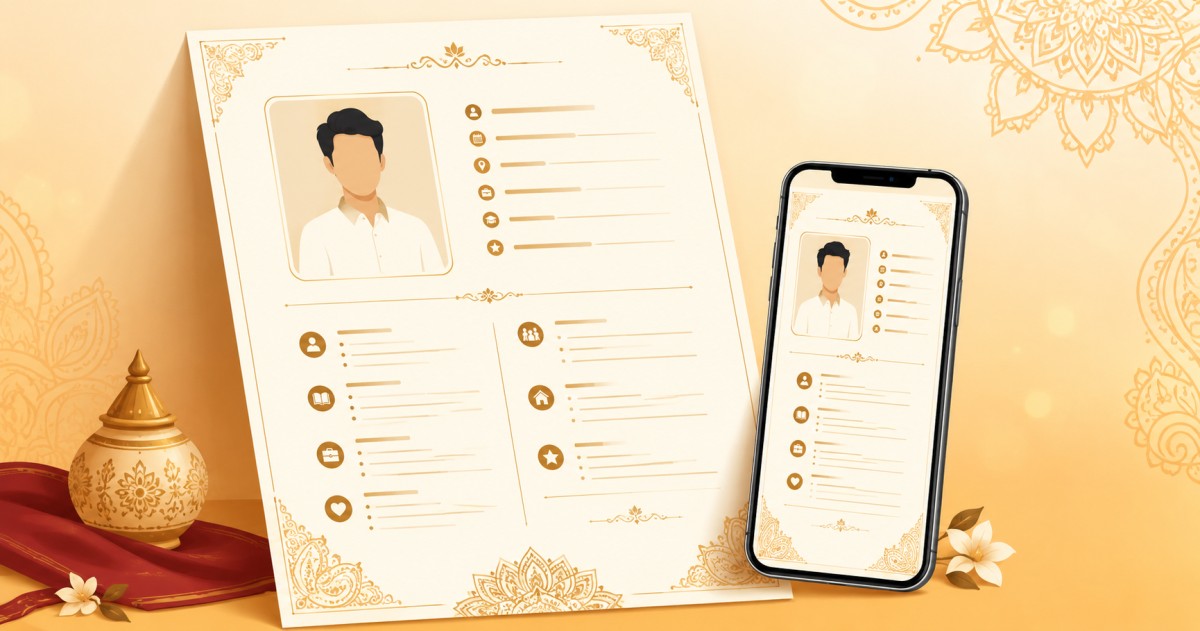
You don't need WordPress, hosting, or code. MyEasyPage lets you build a professional personal website in under 10 minutes:
- Sign up at myeasypage.com/signup
- Choose your username (this becomes your URL:
myeasypage.com/yourname) - Add your photo, bio, and designation
- Add your links, portfolio, services, and contact info
- Pick a theme and publish
Why this matters for SEO: MyEasyPage pages are built with clean meta tags, structured data, mobile-first design, and fast load times — all factors that help Google index and rank your page.
Step 2: Optimize Your LinkedIn Profile
LinkedIn is one of the highest-authority domains on the internet. Google trusts it deeply, and LinkedIn profiles frequently appear on the first page of search results.
LinkedIn SEO Checklist:
- Headline: Include your full name + profession + location
- Bad: Passionate professional looking for opportunities
- Good: Priya Mehta | UX Designer | Bangalore
- About section: Write at least 200 words. Include your name naturally 2-3 times
- Experience: Fill in every relevant position with descriptions
- Skills: Add your top skills and get endorsements
- Custom URL: Change your profile URL to
linkedin.com/in/priyamehta - Profile visibility: Set your profile to public — private profiles don't get indexed
- Recommendations: Get 2-3 genuine recommendations from colleagues or clients
Pro Tip:
Post on LinkedIn at least twice a week. Active profiles rank higher than dormant ones.
Step 3: Set Up Google Business Profile (For Local Professionals)
If you provide services locally — photography, tutoring, consulting, design, coaching — a Google Business Profile is incredibly powerful.
What It Gets You:
- A Knowledge Panel on the right side of search results
- Visibility on Google Maps
- The ability to collect Google Reviews (massive trust signal)
- Direct call/message buttons
How to Set Up:
- Go to business.google.com
- Add your business name (can be your personal name)
- Choose your category (Photographer, Web Developer, Consultant, etc.)
- Add your service area or address
- Add phone number, website URL, and business hours
- Upload professional photos
- Complete verification
This is free and typically takes 1-2 weeks to verify and appear in results.
Step 4: Make Your Social Profiles Work for You
Google indexes public social media profiles. But they only rank well if they're consistent and complete.
The Consistency Rule:
Use the exact same name on every platform. If youre Arjun Patel on your website, dont be Arjun P. on Instagram and A. Patel on Twitter. Google connects profiles by matching names — inconsistency breaks this connection.
Platform Priority List:
| Priority | Platform | Why It Matters |
|---|---|---|
| 1 | Highest domain authority, ranks very well | |
| 2 | Personal Website | You own it, full control |
| 3 | GitHub | For developers/tech professionals |
| 4 | Twitter/X | Often indexed, good for thought leadership |
| 5 | Ranks for creative professionals | |
| 6 | YouTube | Video results appear in Google search |
| 7 | Medium/Substack | Published articles rank well |
| 8 | Behance/Dribbble | For designers and creatives |
Cross-Linking:
Link every profile back to your personal website. This creates a web of connections that Google can follow, reinforcing that all these profiles belong to the same person.
Step 5: Publish Content Under Your Name
Content is what separates a name that barely appears on Google from one that dominates the first page. When you publish articles, videos, or posts under your real name, you create additional indexed pages connected to your identity.
Content Strategies by Profession:
For Developers:
- Write technical blog posts on Medium, Dev.to, or Hashnode
- Create open-source projects on GitHub with detailed READMEs
- Answer questions on Stack Overflow
For Designers:
- Publish case studies on Behance or your website
- Share design process breakdowns on LinkedIn
- Create tutorial videos on YouTube
For Freelancers & Consultants:
- Write how-to articles in your area of expertise
- Share client success stories (with permission)
- Create LinkedIn carousel posts with actionable tips
For Students & Job Seekers:
- Write about projects you've built
- Document your learning journey
- Share industry insights and analysis
The Key Rule:
Always use your full real name as the author. Not a pen name, not a brand name — your actual name. This is what Google will associate with the content.
Step 6: Get Mentioned on Other Websites
This is the authority part of the formula. When other websites mention your name and link to your site, Google interprets this as a signal that you're a real, credible person.
Ways to Get Backlinks and Mentions:
- Guest posting — Write articles for blogs in your industry. Your author bio will include a link to your site
- Podcast appearances — Even small podcasts have show notes pages that link to guests
- Directory listings — Register on industry-specific directories (Clutch, Toptal, IndiaMART, JustDial)
- Event speaking — Webinar pages, conference sites, and meetup pages all list speakers with links
- Collaborations — Work with other creators who will mention and link to you
- HARO / Qwoted — Respond to journalist queries and get quoted in articles
- Alumni pages — Your university or school may have an alumni directory
Quick Wins:
- Create an About.me profile (ranks well on Google)
- Publish on Medium (high domain authority)
- Answer questions on Quora with links to relevant content on your site
- List yourself on Crunchbase or AngelList if applicable
Step 7: Optimize for Search Intent
When someone Googles your name, they're looking for one thing: Is this person legit? Your search results should answer this question within 5 seconds.
The Ideal First Page for Your Name:
- Your personal website — Shows who you are and what you do
- Your LinkedIn profile — Professional credibility
- Your social media — Active, professional presence
- Your published content — Articles, videos, or projects
- Mentions by others — Guest posts, press, directories
Handling Common Names:
If you have a common name (like Raj Sharma or Priya Singh), ranking is harder because youre competing with many other people. Heres how to deal with it:
- Add your profession: Raj Sharma photographer is much easier to rank for than just Raj Sharma
- Add your location: Raj Sharma photographer Jaipur narrows it further
- Use a consistent middle name or initial if it helps distinguish you
- Create more content — volume helps you outrank name-competitors
- Get a custom domain —
rajsharmaphoto.comis a strong signal
Step 8: Set Up Monitoring
You need to know what Google shows for your name — and get alerted when something changes.
Google Alerts:
- Go to google.com/alerts
- Enter your full name in quotes: Priya Mehta
- Choose frequency (weekly is fine)
- Set up the alert
Monthly Self-Audit:
Once a month, Google your name and check:
- Are your top results still accurate?
- Has any negative or irrelevant content appeared?
- Are there new opportunities (someone mentioned you but didn't link)?
- Do all your profiles still have correct information?
Step 9: Technical SEO for Your Personal Site
If you want to go deeper, these technical optimizations can significantly boost your personal website's ranking:
Page Title Format:
Your Name — Your Profession | Your City Example: Arjun Patel — Full Stack Developer | Mumbai
Meta Description:
Include your name, profession, and a clear value proposition in under 155 characters.
Image Alt Text:
Every photo of you should have alt text like: Arjun Patel, full stack developer based in Mumbai
Page Speed:
Google rewards fast-loading pages. Compress images, avoid heavy scripts, use modern formats.
Mobile-First:
Over 70% of Google searches happen on mobile. Your site must look perfect on phones.
Note: If you're using MyEasyPage, all of this is handled automatically — optimized titles, meta tags, structured data, image compression, and mobile-responsive design are built into every page.
Step 10: Stay Consistent (The Real Secret)
Heres what separates people who dominate their Google results from those who dont: consistency.
Weekly:
- Post 1-2 times on LinkedIn or Twitter
- Share something on Instagram stories
- Engage with content in your field
Monthly:
- Publish one article or blog post
- Update your website with new projects or testimonials
- Check Google Search Console for indexing issues
- Review your Google Alerts
Quarterly:
- Google yourself and audit the results
- Update all profile bios and photos if needed
- Reach out for one guest post or podcast opportunity
- Add new skills, certifications, or projects to your profiles
Expected Timeline: When Will You See Results?
| Action | Time to See Impact |
|---|---|
| Personal website indexed | 1-2 weeks |
| LinkedIn profile ranking | 2-4 weeks |
| Google Business Profile appearing | 2-3 weeks |
| Social profiles ranking | 3-6 weeks |
| Published content ranking | 1-3 months |
| Backlinks building authority | 2-6 months |
| Dominating first page | 3-6 months |
Important: SEO is not instant. But every action you take compounds over time. The person who starts today will be miles ahead of the person who starts next month.
Real-World Case Study
Sneha — Freelance Content Writer, Pune
Before:
- Googling Sneha Desai content writer showed zero relevant results
- Lost 3 potential clients who couldn't verify her online
- Relied entirely on Upwork and cold emails for work
What She Did:
- Built a personal website on MyEasyPage with her portfolio, testimonials, and contact form
- Optimized her LinkedIn with a detailed About section and writing samples
- Published 4 articles on Medium about content marketing
- Set up a Google Business Profile
- Started posting LinkedIn carousels weekly
After 3 Months:
- First 5 Google results for Sneha Desai content writer Pune are all her properties
- Receives 2-3 inbound inquiries per week directly from Google
- Closed a retainer client who said: I Googled you, your website looked professional, so I reached out
- No longer depends on freelance platforms for work
Free Tools You Need
| Tool | What It Does | Cost |
|---|---|---|
| MyEasyPage | Personal website + bio link page | Free |
| Google Search Console | Index your site, track search performance | Free |
| Google Alerts | Monitor your name mentions | Free |
| Google Business Profile | Local search presence | Free |
| Professional profile | Free | |
| Canva | Create profile photos and banners | Free |
| Google Analytics | Track website visitors | Free |
TL;DR — Your Action Plan
- Build a personal website on MyEasyPage — your home base on the internet
- Optimize LinkedIn — complete profile, public visibility, custom URL
- Set up Google Business Profile if you serve local clients
- Make all social profiles consistent — same name, same photo, cross-linked
- Start publishing content — articles, videos, posts under your real name
- Get mentioned on other websites — guest posts, directories, collaborations
- Monitor your results — Google Alerts + monthly self-audit
- Stay consistent — this is a marathon, not a sprint
Your name is your most valuable personal brand asset. In a world where everyone Googles everyone, being invisible is not an option.
Start today. Build your website. Claim your name. Own your Google results.
Build your free personal website and start showing up on Google — visit [myeasypage.com](https://myeasypage.com).